Stylus - Custom Userstyles
Custom browser userstyles built on the Base16 color system for consistent theming across all supported websites.
Easy to extend: Add a new theme by creating a single TOML file with 16 colors - the build system handles everything else.
Available Themes
| Theme | Type | Description |
|---|---|---|
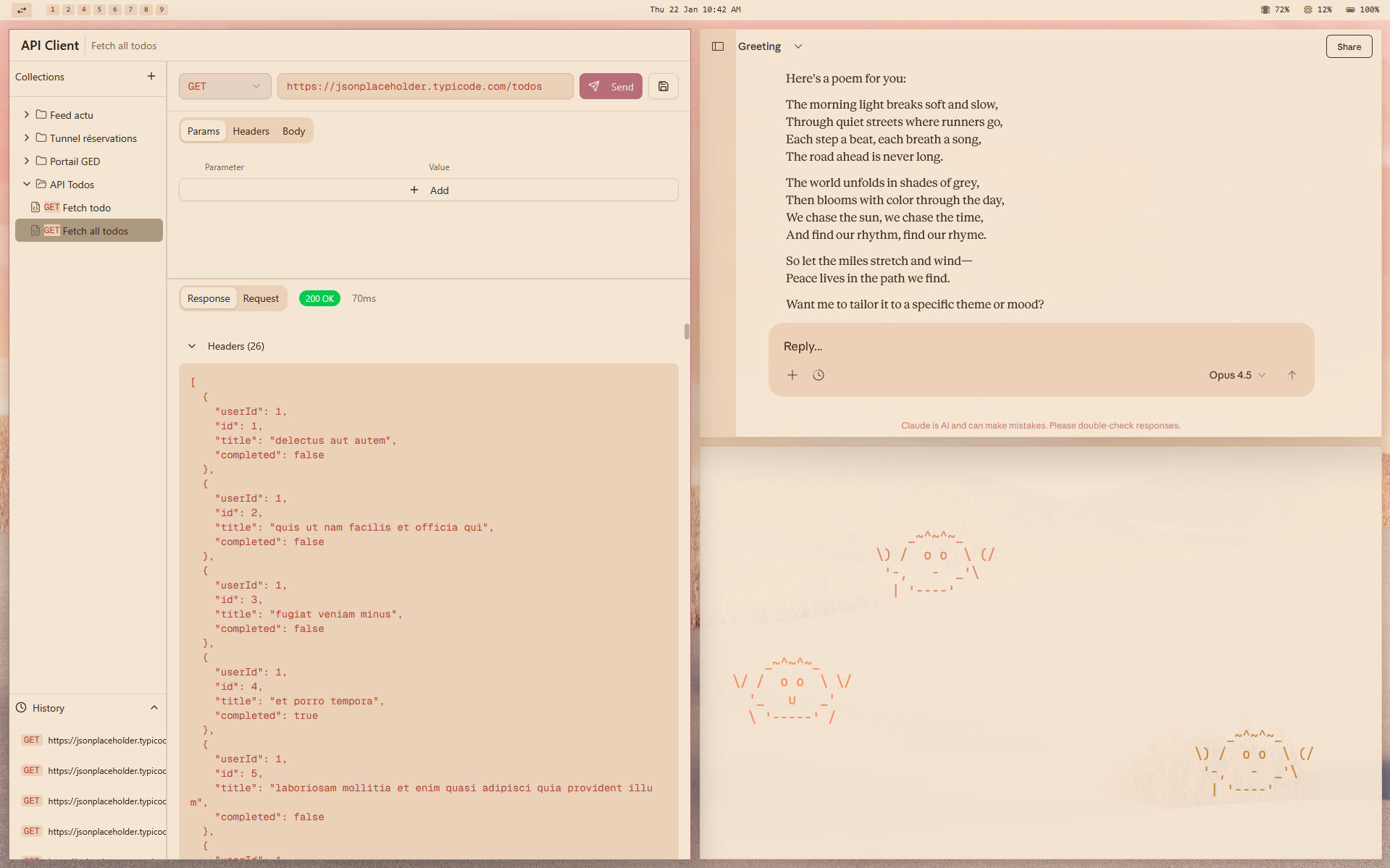
| Rose of Dune | Light | Soft rose-gold with warm brown accents, inspired by desert dunes at dusk |
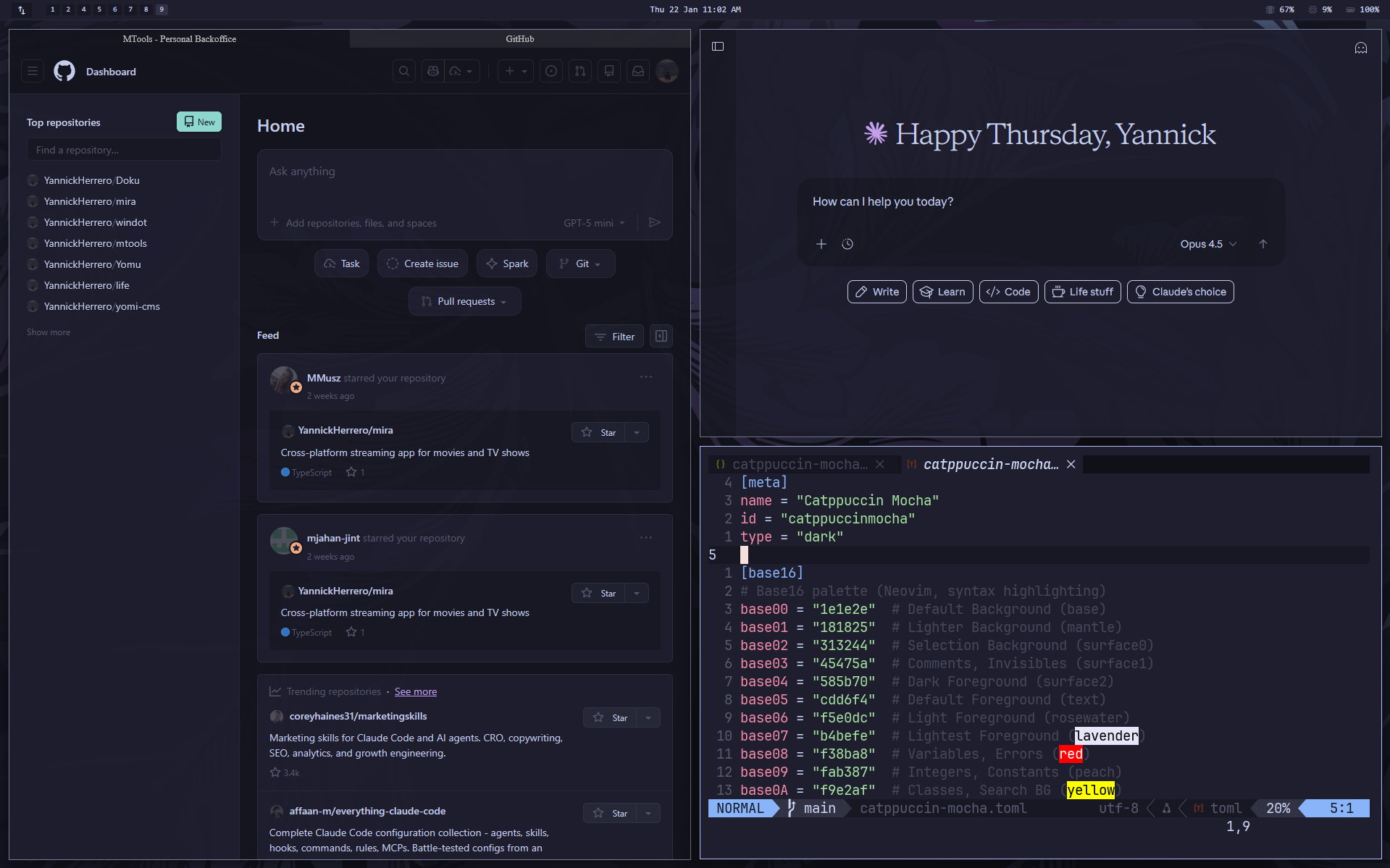
| Catppuccin Mocha | Dark | Soothing pastel theme with rich, warm colors |
Theme Previews
Rose of Dune (Light)
Catppuccin Mocha (Dark)
Supported Websites
All themes support the following websites:
| Website | Domain |
|---|---|
| Discord | discord.com |
| Claude | claude.ai |
| GitHub | github.com |
reddit.com | |
| Microsoft Teams | teams.microsoft.com |
| MTools | mtools-rho.vercel.app |
Available Styles
All-in-One (Recommended)
Install a single style that themes all supported websites:
| Theme | Install |
|---|---|
| Rose of Dune | rose-of-dune.user.css |
| Catppuccin Mocha | catppuccin-mocha.user.css |
Individual Styles
Or install styles separately per website:
| Website | Rose of Dune | Catppuccin Mocha |
|---|---|---|
| Discord | Install | Install |
| Claude | Install | Install |
| GitHub | Install | Install |
| Install | Install | |
| Teams | Install | Install |
| MTools | Install | Install |
Installation
Prerequisites
Install the Stylus browser extension:
Quick Install (Recommended)
Import all styles for a theme at once using the theme’s JSON file:
- Open Stylus extension settings (click the gear icon)
- Scroll down to “Backup” section
- Click “Import” and select a theme file:
rose-of-dune.json- Light themecatppuccin-mocha.json- Dark theme
- All styles for that theme will be imported and enabled
Installing Individual Styles
- Click on one of the install links above (or navigate to the
.user.cssfile) - Click “Raw” to view the raw CSS
- Stylus will automatically detect the userstyle and offer to install it
- Click “Install style”
Base16 Color System
All themes use the Base16 color system - 16 colors that map consistently across all styles:
| Base | Usage |
|---|---|
| base00 | Default Background |
| base01 | Lighter Background (panels, cards) |
| base02 | Selection Background |
| base03 | Comments, Muted text |
| base04 | Dark Foreground (secondary text) |
| base05 | Default Foreground (primary text) |
| base06 | Light Foreground (headings) |
| base07 | Lightest Background (elevated) |
| base08 | Red - Errors, Variables |
| base09 | Orange - Warnings, Constants |
| base0A | Yellow - Classes, Search |
| base0B | Green - Strings, Success |
| base0C | Cyan - Regex, Support |
| base0D | Blue - Functions, Links |
| base0E | Purple - Keywords |
| base0F | Brown - Deprecated |
This means any Base16-compatible color scheme can be added as a theme.
Development
Project Structure
stylus/
├── themes/                      # Theme definitions (Base16)
│   ├── rose-of-dune.toml        # Light theme (source of truth)
│   ├── rose-of-dune.less        # Generated LESS (do not edit)
│   ├── catppuccin-mocha.toml    # Dark theme (source of truth)
│   └── catppuccin-mocha.less    # Generated LESS (do not edit)
├── styles/
│   ├── all/                     # Combined all-in-one style
│   │   └── all.user.less        # Imports all site styles
│   ├── discord/
│   │   └── discord.user.less    # Site-specific styling
│   ├── claude/
│   │   └── claude.user.less
│   ├── github/
│   │   └── github.user.less
│   ├── reddit/
│   │   └── reddit.user.less
│   ├── teams/
│   │   └── teams.user.less
│   └── mtools/
│       └── mtools.user.less
├── scripts/
│   ├── generate-theme.js        # TOML -> LESS converter
│   ├── build-styles.js          # Builds CSS for all theme+site combos
│   └── generate-import.js       # Generates [theme].json files
├── rose-of-dune.json            # Stylus import file (light theme)
├── catppuccin-mocha.json        # Stylus import file (dark theme)
├── package.json
└── README.md
Build Pipeline
1. TOML -> LESS         (generate-theme.js)
2. Theme + Site -> CSS  (build-styles.js)
3. CSS -> JSON          (generate-import.js)
The build system automatically generates CSS for every theme + site combination. Adding a new theme TOML file will automatically create styles for all 6 websites.
Building
# Install dependencies
bun install

# Build everything (themes -> styles -> JSON files)
bun run build

# Build only themes (TOML -> LESS)
bun run build:themes

# Build only styles (LESS -> CSS for all theme+site combos)
bun run build:styles

# Build only import JSON files
bun run build:import
Creating a New Theme
Adding a new theme is simple - just create a TOML file with your Base16 colors:
-
Copy an existing theme:
cp themes/catppuccin-mocha.toml themes/my-theme.toml -
Edit
themes/my-theme.toml:[meta] name = "My Theme" id = "mytheme" type = "dark" # or "light" [base16] base00 = "1a1b26" # Background base01 = "24283b" # Lighter background base02 = "292e42" # Selection # ... all 16 colors (base00-base0F) [overrides] # Optional primary = "7aa2f7" # Custom accent color -
Build:
bun run build
That’s it! The build system automatically:
- Generates LESS variables from your TOML
- Compiles CSS for all 6 websites
- Creates
my-theme.jsonfor easy Stylus import
Adding a New Website
-
Create the site directory and LESS file:
mkdir styles/newsite -
Create
styles/newsite/newsite.user.less:/* ==UserStyle== @name New Site - {{THEME_NAME}} @namespace github.com/yherrero/stylus @version 1.0.0 @description {{THEME_NAME}} theme for New Site @author yherrero @license MIT @preprocessor less ==/UserStyle== */ // Theme variables are injected at build time @-moz-document domain("newsite.com") { // Use semantic variables: @bg-primary, @text-primary, etc. // Use base16 directly for syntax: @base08, @syntax-keyword, etc. } -
Register the site in
scripts/build-styles.js:const SITES = [ // ... existing sites { name: 'newsite', file: 'newsite.user.less' }, ]; -
Add to the all-in-one style in
styles/all/all.user.less:@import "../newsite/newsite.user.less"; -
Build:
bun run build
The build system will automatically generate CSS for every theme + your new site combination.
Base16 Semantic Variables
The generated LESS file provides semantic mappings:
// Backgrounds
@bg-primary      // Main background (base00)
@bg-secondary    // Panel background (base01)
@bg-elevated     // Elevated surfaces (base07)

// Text
@text-primary    // Main text (base05)
@text-secondary  // Secondary text (base04)
@text-muted      // Muted text (base03)

// Status
@color-error     // Errors (base08)
@color-warning   // Warnings (base09)
@color-success   // Success (base0C)
@color-info      // Info/links (base0D)

// Syntax highlighting
@syntax-keyword  // Keywords (base0E)
@syntax-string   // Strings (base0B)
@syntax-function // Functions (base0D)
@syntax-variable // Variables (base08)
@syntax-comment  // Comments (base03)

// Derived (auto-generated)
@hover-overlay   // Hover state
@active-overlay  // Active state
@focus-ring      // Focus indicator
@border-primary  // Standard border
@border-subtle   // Subtle border
Credits
- Color scheme inspired by omarchy-roseofdune-theme
- Project structure inspired by catppuccin/userstyles
- Built on Base16 color system
License
MIT